Notifications
Choose the channels you get alerts on, the events that trigger alerts and whether synced bookings run automations.
- Available on All plans
- For All workspace members
What it is
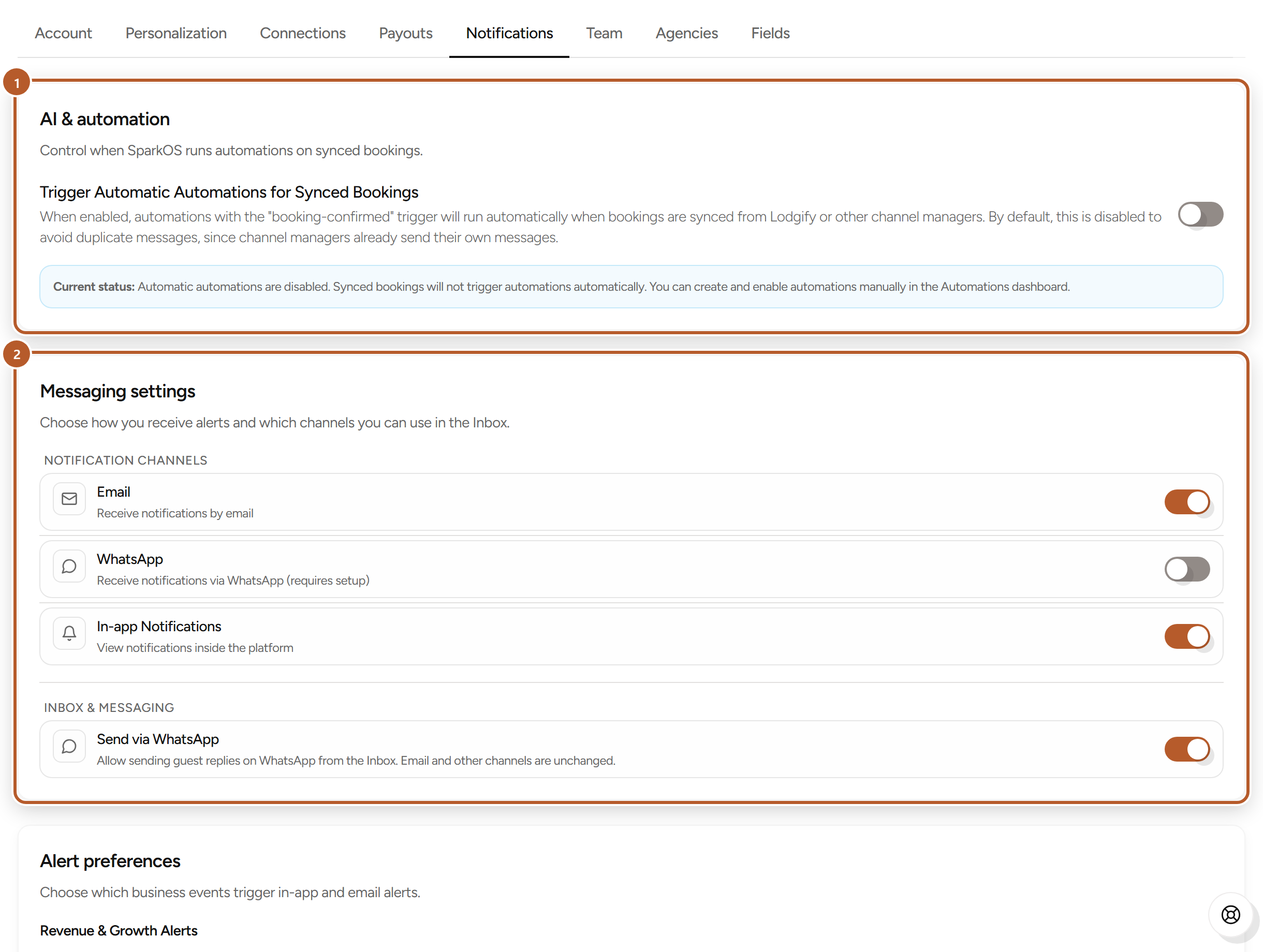
The Notifications tab in Settings sets which channels you get alerts on, which business events trigger alerts and whether automations run on their own for synced bookings. There is no save button: each switch is saved as soon as you change it.
Step by step
- Open Settings > Notifications (/settings?tab=notifications). The old /notification-settings address leads to the same tab.
- Under AI & automation, decide whether to turn on Trigger Automatic Automations for Synced Bookings. When on, automations with the “booking-confirmed” trigger run when bookings arrive from Lodgify or other channel managers.
This switch is off by default to avoid duplicate messages, since channel managers already send their own messages.
- Under Messaging settings > Notification Channels, turn Email, WhatsApp (requires setup) and In-app Notifications on or off.
- Under Inbox & messaging, the Send via WhatsApp switch lets you reply to guests on WhatsApp from the Inbox. Email and other channels are unchanged.
- Under Alert preferences, turn on the events that should alert you:
| Group | Alerts |
|---|---|
| Revenue & Growth Alerts | Campaign Conversion, Discount Code Used, New High-Value Guest, Shop sale completed, Instagram comment, Guest payment received |
| Guest Loyalty & CRM Alerts | Returning Guest Booking, Upcoming Special Occasion |
| Account & System Health | Sync Failure, Plan Limit Approaching |
What happens next
- Each change is saved within about half a second and shows Settings saved. If something fails, you see Failed to save settings and can try again.
- With automatic automations off, the tab shows Current status: and synced bookings do not trigger automations. You can still create and enable automations by hand.
- Instagram comment only alerts you when a comment triggers an Instagram automation. Comments that match no keyword do not notify.
FAQ
Why don’t I see the Guest payment received alert?
It only appears for accounts paid out in Brazil: BRL currency, Brazil as the billing region, or payouts through Asaas.
What does Plan Limit Approaching cover?
It warns you when you are about to reach your plan’s email or contact limit.
What does Sync Failure cover?
It notifies you if the automated data sync with Lodgify fails.
Updated on 10/2/2026