Row actions: pause, duplicate, archive and delete
The ⋮ menu on each campaign, sequence and flow: what each action does, when SparkOS archives instead of deleting, and how to restore.
- Available on All plans
- For Owner and team members with the Marketing & Studio permission (Marketing role); actions that change items need the Act level
What it is
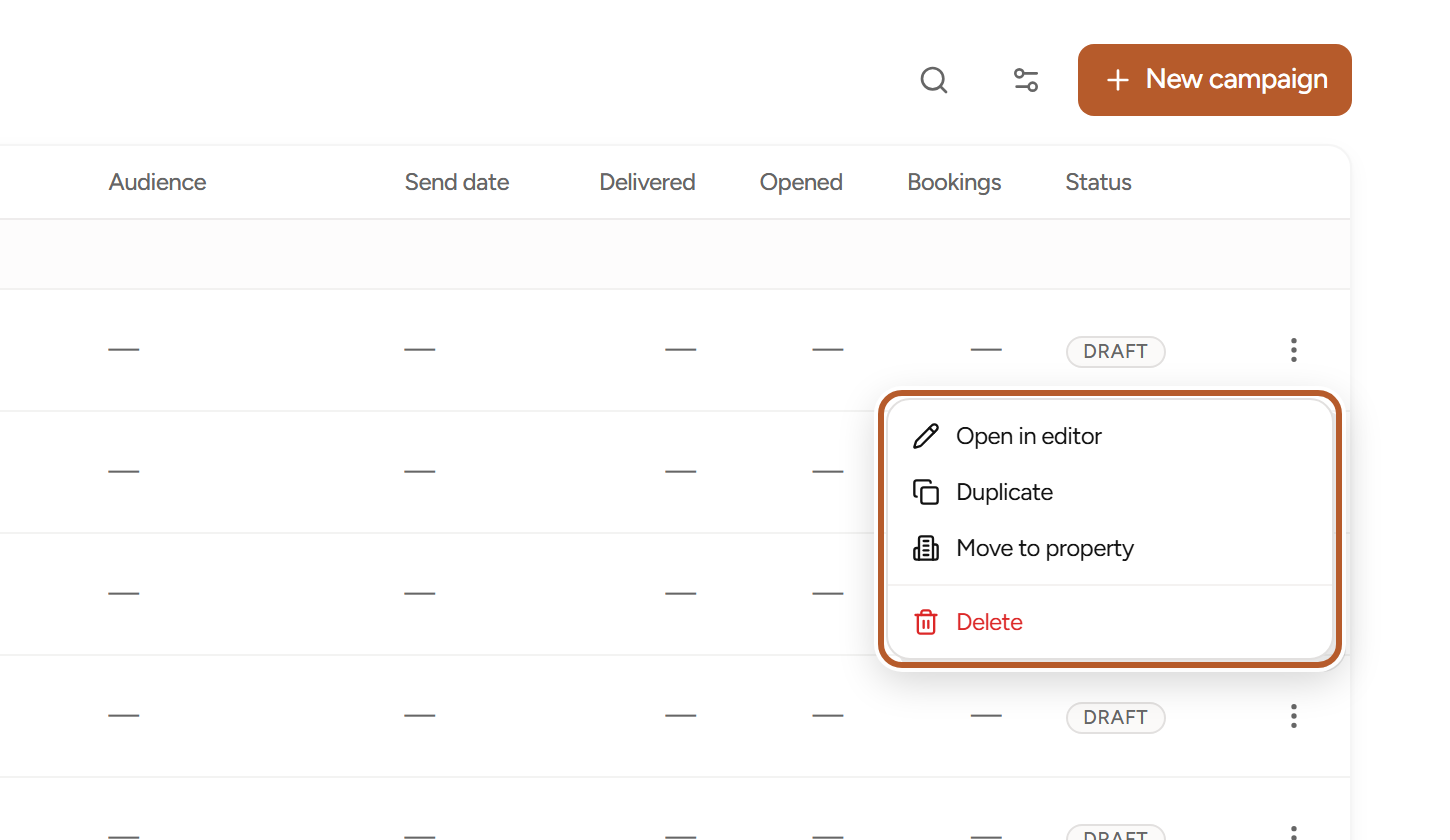
Each row on the Campaigns, Sequences and Flows lists has a ⋮ menu on the right with the actions that apply to that item. When an item already has history, the menu offers Archive instead of Delete: a flow or sequence that has run, and a campaign that was sent, keep their runs and reports.
Before you start
- Team members with the View level for Marketing see the menu, but actions that change items are disabled. They need the Act level to use them.
Step by step
- Open the list under Marketing (/marketing/campaigns, /marketing/sequences or /marketing/flows) and click ⋮ on the item’s row.
- Pick the action. Archive and Delete ask you to confirm; Move to property and Run on selected contacts open a dialog; the rest act right away.
Flows and sequences
| Action | When it shows | What it does |
|---|---|---|
| Open in editor | Always | Opens the builder or the editor |
| View runs | Always | WhatsApp or Instagram flow: the runs page. Sequence: the editor’s Enrolled tab. Canvas flow: the editor, where the Runs tab is |
| Run on selected contacts | Manual trigger, not archived | Opens Enroll guests: pick a folder or audience and confirm with Enroll audience |
| Activate, Pause or Resume | Depending on status | Turns the item on or pauses it |
| Duplicate | Always | Creates a draft copy with “(copy)” in the name |
| Archive | Live, or has run | “It stops running and leaves the list; its runs stay readable. You can restore it later.” |
| Delete | Not live and never ran | Removes it for good. “This cannot be undone.” |
| Restore | Archived | Brings it back as a draft |
A WhatsApp flow without a name is not activated: SparkOS asks you to “Name the flow before activating it.” and opens the builder.
Campaigns
| Action | When it shows |
|---|---|
| Open in editor | Email draft |
| Open report | Email campaign that is not a draft |
| Duplicate | WhatsApp campaign; opens the builder already filled in |
| Move to property | Campaign not archived |
| Archive | Sent or sending |
| Delete | Any other status |
| Restore | Archived |
In Move to property, pick a property or No property and click Move. “The property a campaign belongs to drives its attribution and who on the team can see it.”
What happens next
The list and the Overview numbers refresh. When you delete a campaign, the server makes the final call: if the email provider will not delete it, the campaign is archived instead and you see “Campaign archived. Reports were preserved.” Archived items only show on the list with Show archived, under View settings.
FAQ
Why is there no Delete on my flow?
It is live, or it already had enrollments or runs. Use Archive: it stops running and its history stays readable.
Can I duplicate an email campaign?
Not from the list: Duplicate only shows for WhatsApp campaigns.
How do I open a WhatsApp campaign’s details?
In Reports, click the campaign’s name in the WhatsApp campaigns table. On the Campaigns list, a WhatsApp row does not open a page and its menu has no Open report.
Updated on 10/2/2026