Calendar gaps (orphan nights)
Find orphan nights between bookings and offer them to guests in an email campaign or an automatic sequence.
- Available on All plans; the Smart Gap Offer block requires a paid plan
- For Owner and team members with access to Marketing and Campaigns
What it is
A gap, or orphan window, is a free stretch between two bookings that is shorter than the minimum stay its days require, so it rarely gets booked on its own. SparkOS finds these gaps on your properties and lets you offer them to guests in two ways: in the Smart Gap Offer block of an email campaign, or in a sequence that fires when a gap opens on the calendar.
Before you start
- The Smart Gap Offer block needs a paid plan with advanced automations. On other plans it appears locked, with the message “Advanced automations are available on paid plans. Upgrade to unlock.”
- The scan uses the bookings synced from Lodgify and Stays. On the Enterprise plan with Lodgify connected, it also reads each day’s minimum stay and price live.
Step by step
Offer a gap in an email campaign
- In the sidebar, under Marketing, click Campaigns (/marketing/campaigns), then New campaign, and choose Email campaign.
- On the Property step, pick the property and click Continue. It becomes the Campaign property in the builder.
- In the builder, drag the Smart Gap Offer block onto the canvas and click it.
- The sidebar switches to the Live scan, listing the Detected orphan windows in the next 60 days: dates, nights, minimum stay and price.
- Click a window, or a highlighted day on the calendar, to fill in the block’s dates, nightly price and currency. If nothing shows up, use Rescan calendar.
- In the right-hand panel, adjust the discount, the Badge text and the CTA label. Under Date source, Automated (calendar) uses the nearest gap; Manual range unlocks Start date and End date.
- Turn on Hide if no gaps found to drop the block at send time when there is nothing to promote.
Create a sequence for gaps
- In the sidebar, under Marketing, click Sequences (/marketing/sequences), then New sequence.
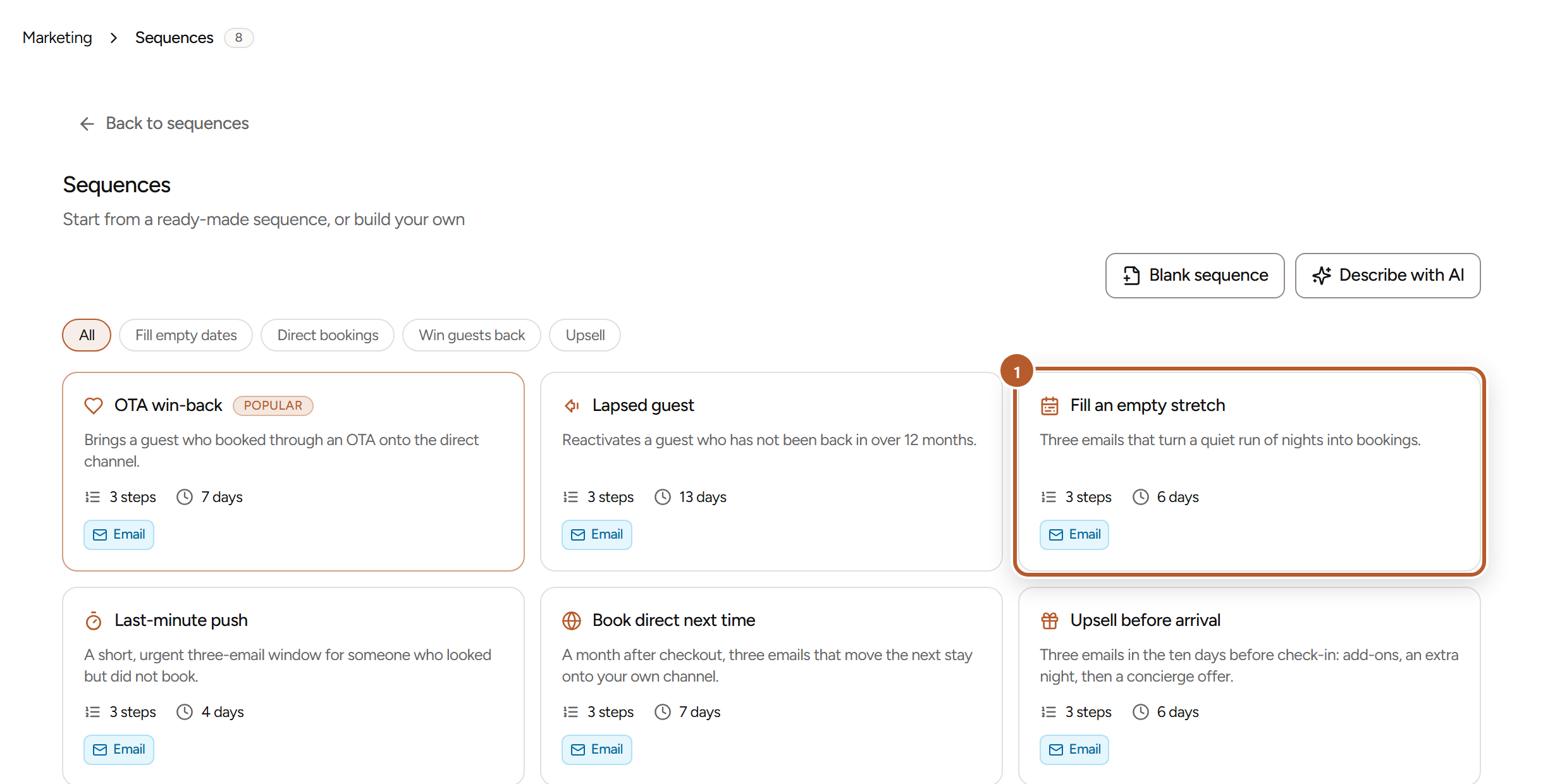
- Open the Fill an empty stretch template (“Three emails that turn a quiet run of nights into bookings.”).
- Click Use this template. Nothing is created before that.
- Review the steps in the draft and activate the sequence when you are ready.
What happens next
- Every gap found is saved on the property, and gaps whose dates have passed expire.
- The Fill an empty stretch sequence fires when a gap opens on the calendar and writes to past guests, in three emails sent 3 days apart. The copy does not mention dates.
FAQ
Why did the scan find no gaps?
A stretch only counts as a gap when it is shorter than the minimum stay of its days. Try another property or use Manual range to set the dates yourself.
Can I build my own flow for gaps?
Yes. The flow editor has an Orphan Gap Detected trigger, with Property (optional), Gap length (nights) and Max lead time settings.
Why does the Smart Gap Offer block show a lock?
Your plan does not include advanced automations. Clicking the block takes you to the subscription page.
Updated on 10/2/2026