Saved groups: fixed contact audiences
How to save a slice of Contacts as a fixed audience, add people to it, pin it to the sidebar and manage it all at /guests/groups.
- Available on All plans
- For Owner and team members with guest access (on by default for the Property Manager and Guest Experience roles)
What it is
A saved group is a fixed list of contacts. On screen it is called Audiences. The group keeps the people who were in the list when you saved it and does not update on its own. Use groups to set aside VIP guests, the people from an event or any slice you want to reopen later.
Step by step
Save a filter as a group
- In Contacts (/contatos), on the Guests tab, apply filters or a search.
- Click Save as audience. The button only appears while a filter is active and is disabled when the list is empty.
- Enter a Name, pick a Color and click Save audience.
Add hand-picked contacts
- Tick the contacts in the table and click Add to audience.
- Choose Existing audience or New audience.
- Choose Add (keep current audiences) or Move (remove from others).
- Confirm with Add, Move here, Create and add or Create and move, depending on your choices.
Open and manage groups
- Click the bookmark icon above the table to see Audiences. Click a group to filter the list; All contacts clears the filter. Hover over a group to rename or delete it.
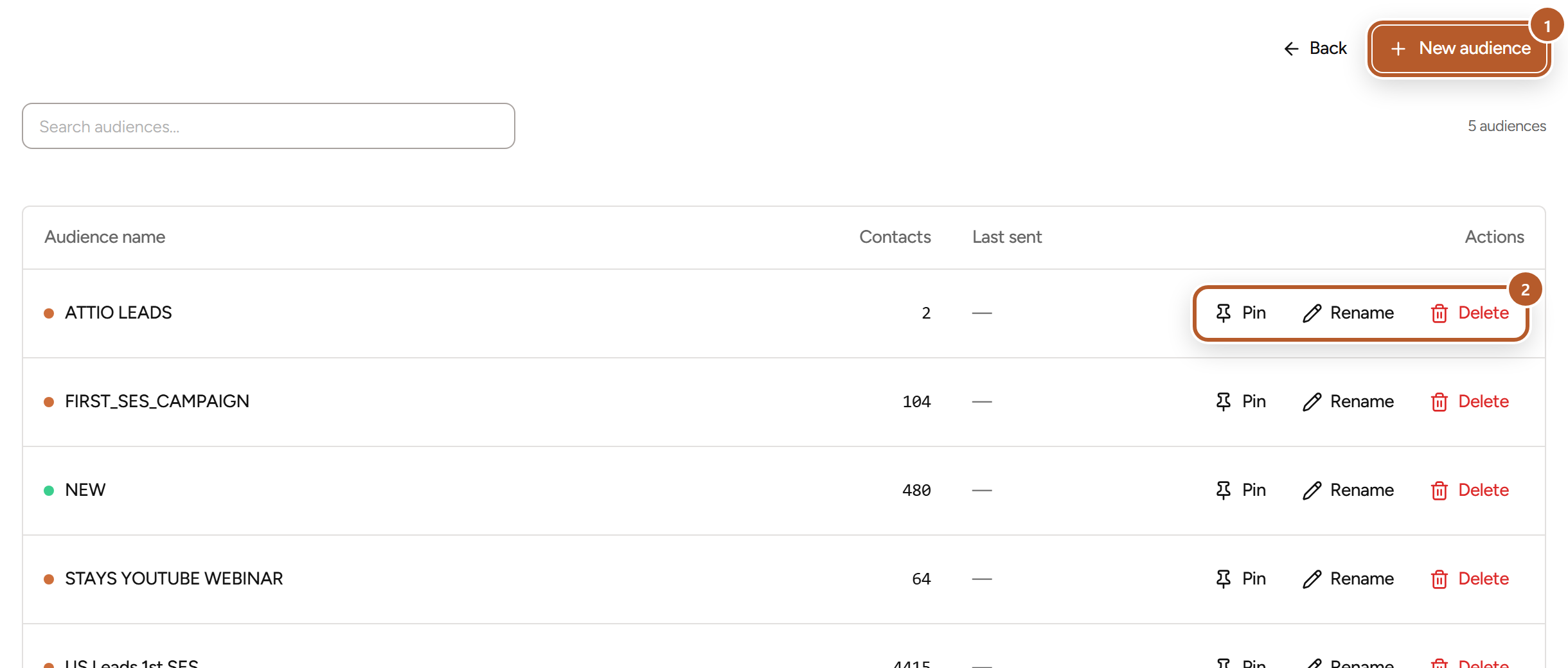
- For the full view, open /guests/groups. The table shows Audience name, Contacts, Last sent and Actions.
- Under Actions, use Pin, Rename or Delete. New audience creates an empty group with a Name and Color.
What happens next
| Action | Result |
|---|---|
| Pin | The group appears in the sidebar under Contacts, with its member count |
| Pinning a fourth group | The cap is 3; SparkOS warns you and replaces the oldest pin |
| Last sent | Shows when the most recent email campaign went to the group |
| Clicking the name | Opens Guests already filtered by that group |
When you delete a group, SparkOS asks you to confirm: the audience and its member list are removed, but the contacts themselves are not deleted.
FAQ
Does a group pick up new contacts on its own?
No. It keeps the contacts from the moment it was saved. Audiences that update themselves at send time live in Marketing → Library → Audiences (/marketing/audiences).
Does the /guests/segments address still work?
Yes. It redirects to /guests/groups.
Does deleting a group delete the contacts?
No. Only the group’s member list is removed.
Updated on 10/2/2026