Canvas flows: blank flow, playbooks and Create with AI
The node builder for email and multi-channel automations, plus the two guided doors: Revenue Playbooks and Create with AI.
- Available on All plans
- For Owner and team members with the Marketing & Studio permission (Marketing role)
What it is
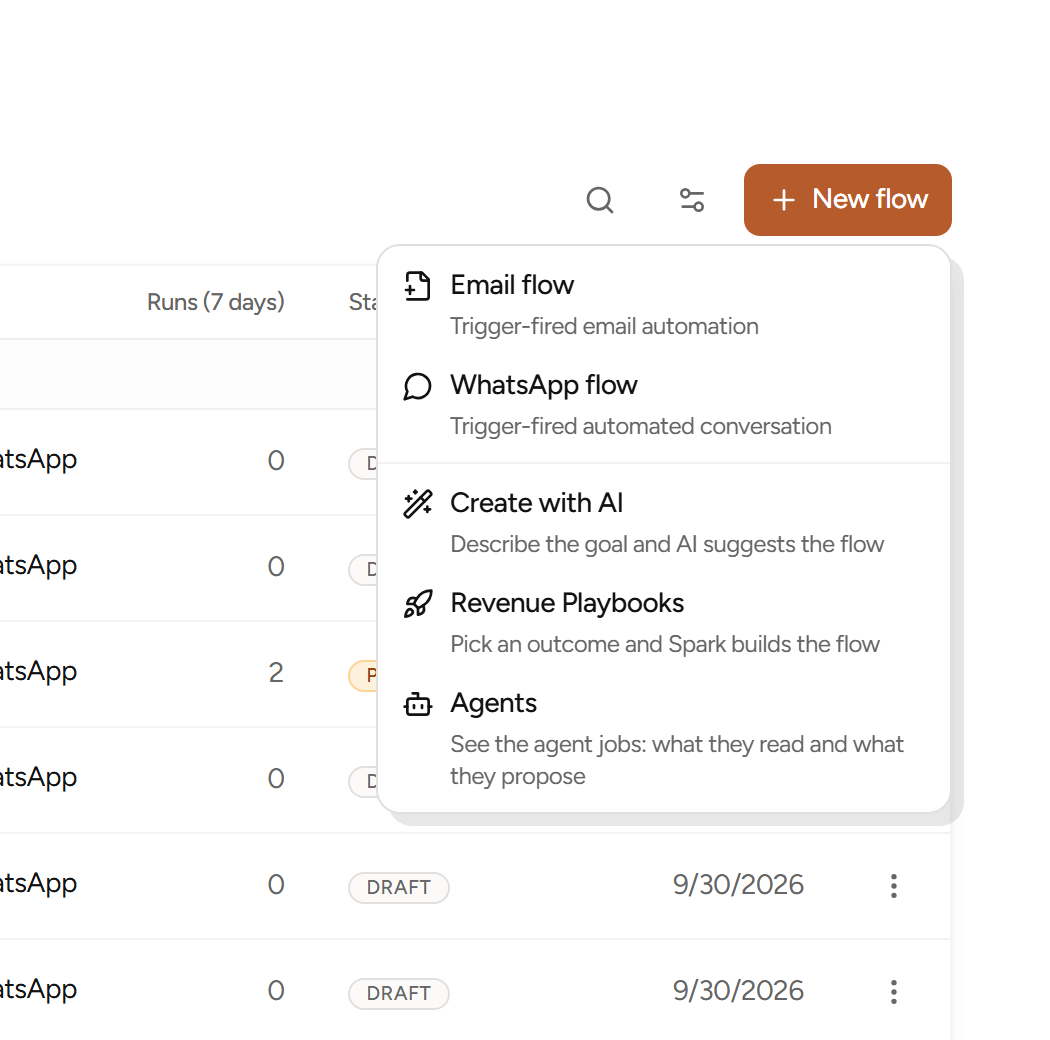
Besides WhatsApp flows, the Flows page builds automations on the node canvas: a trigger, timing and condition rules, and actions such as sending an email, sending a WhatsApp message or tagging the guest. In the New flow button, three options lead to this kind of automation: Email flow, Create with AI and Revenue Playbooks.
Before you start
- For Send Email, email sending must be configured; otherwise the sidebar warns “Email sending not configured”.
- For Send WhatsApp, WhatsApp must be connected.
Step by step
- In the sidebar, under Marketing, click Flows (/marketing/flows), then New flow.
- Email flow opens an empty canvas (/workflows/v2/new). Name it under Workflow name….
- Drag items from the Triggers, Actions and Rules tabs of the sidebar and click a node to configure it. On send nodes, pick the template under Choose email template or Choose WhatsApp template.
- Save, then click Run Test to run the flow against a Test guest.
- Finish with Save & Exit, which keeps it as a draft that is not live yet, or Save & Activate (“Validate & go live immediately”). Problems appear under “Fix the following issues before activating:”.
- On live flows, use Pause and the Runs tab, with Date range, Failures only and Retry.
Nodes
| Tab | Main items |
|---|---|
| Triggers | New Booking, After checkout, Booking Cancelled, Tag Added, Email Opened, Email Link Clicked, WhatsApp Message Received, Orphan Gap Detected, Guest Birthday |
| Actions | Send Email, Send WhatsApp, Update Guest Tag, Update Guest Field, Add to audience |
| Rules | Time Delay, Conditional Split (If/Else) |
Without a Pro plan or higher (active or on trial), Send Guest Hub shows as locked.
Create with AI
Describe the goal in plain language. SparkOS composes the workflow and opens the canvas pre-populated, suggests a playbook when the request maps to one (the screen says it found a Revenue Playbook for that), or opens the canvas with your text. The plan’s monthly AI allowance applies.
Revenue Playbooks
Pick an outcome (Fill empty dates, Increase direct bookings, Bring back previous guests, Increase upsells, Improve guest communication, Recover abandoned bookings or Something else). Cards show Estimated revenue based on this month’s bookings. Those tied to a campaign open a panel to review the audience and the send; the others open the canvas.
What happens next
A live flow “will trigger automatically for matching events”. A flow that is only a linear email chain shows up on the Sequences list, not Flows.
FAQ
What does the test send?
A simulated payload with “tacos and bagels” as detected interests for the chosen guest; the result says how many messages went out.
Does deleting a flow remove its history?
Yes: “This will permanently delete this workflow and all its run history.”
Updated on 10/2/2026