Integrations: overview
Where SparkOS connections live and what each card on the Connections tab does.
- Available on All plans
- For All workspace members
What it is
The Connections tab in Settings (/settings?tab=integrations) gathers everything linked to SparkOS: your channel manager (PMS), the Meta login for WhatsApp and Instagram, Claude, Higgsfield, Slack and your email sending domain. The old /integrations address redirects to this tab. Each connection is a card; cards that are already connected come first, with the Connected badge.
Before you start
- Open Settings from the avatar menu or the settings button in the header, then pick the Connections tab.
- Some cards are plan-gated: the Claude card requires the Enterprise plan and the Meta (Facebook) card requires the Pro plan. Outside the plan, the panel is replaced by a notice with the Upgrade Plan button.
Step by step
- On the Connections tab, find the card for the tool. Cards without a connection show the Connect button; the Sending domain card shows Set up.
- Click the button to open the connection panel in a window. What you see inside depends on the tool:
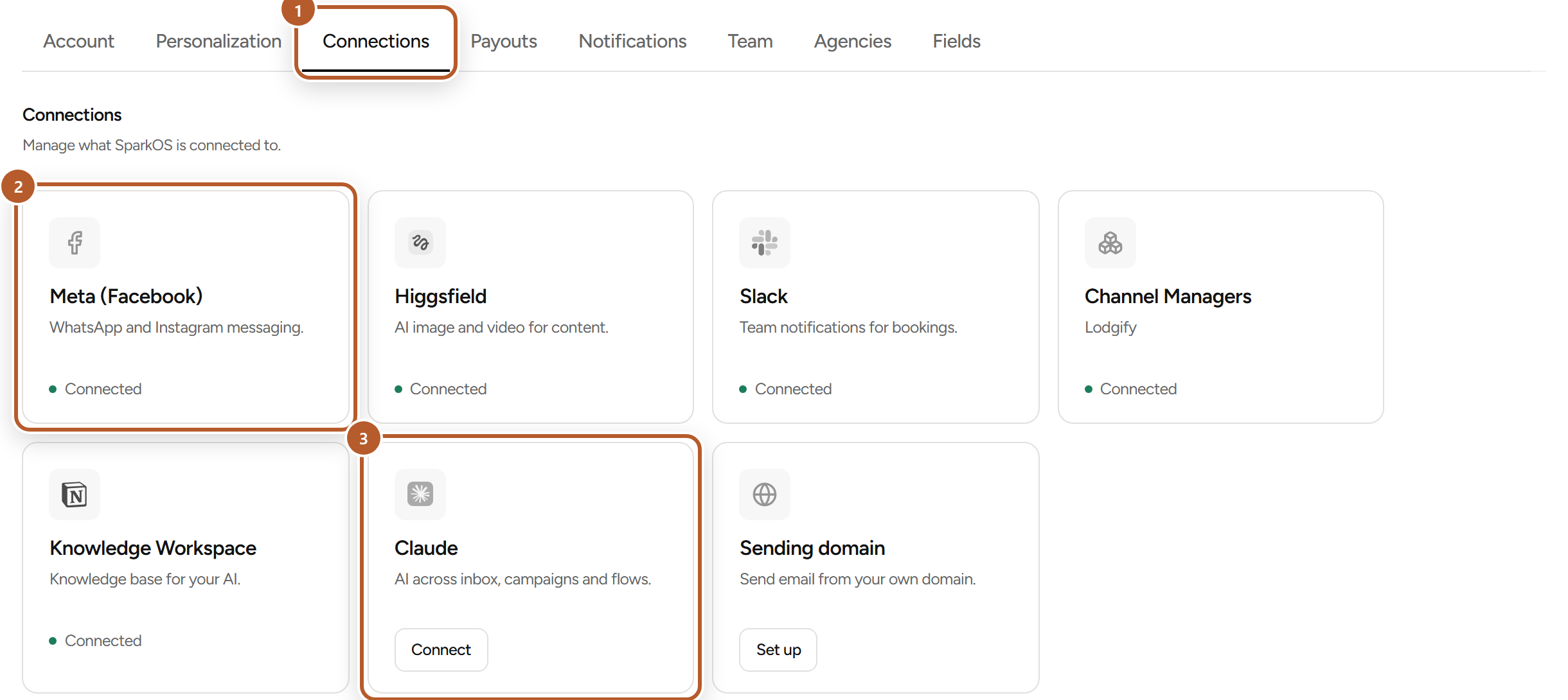
| Card | What it does |
|---|---|
| Claude | AI across inbox, campaigns and flows, via MCP |
| Meta (Facebook) | WhatsApp and Instagram messaging through your Facebook login |
| Higgsfield | AI image and video for content |
| Slack | Team notifications for bookings |
| Channel Managers | Reservations from Lodgify, Stays or Guesty (Hostfully is also listed) |
| Sending domain | Send email from your own domain |
- Once connected, close the window. The card now shows Connected and, for channel managers, the name of the active PMS instead of the description.
- To disconnect, reopen the card and use Disconnect inside the panel.
The Knowledge Workspace card and the CRM (Notion) card only appear for accounts that already have that connection active.
What happens next
Connecting a PMS starts the import of properties, bookings and guests. Connecting Meta unlocks the Inbox and WhatsApp and Instagram campaigns. Connecting Claude lets it read reservations, guests, marketing and reports. Each one is covered in its own article in this section.
FAQ
Can I connect two PMSs at the same time?
No. Only one channel manager is active per account. Connecting another one disconnects the previous one as soon as the new credentials are verified, without deleting anything: its bookings are archived, its active properties become Inactive and guests stay in SparkOS. Reconnecting the previous PMS brings the bookings and properties back.
Why does a card not open the panel?
If your plan does not include the feature, the panel gives way to a plan notice with the Upgrade Plan button.
Does the /integrations link still work?
Yes. It redirects to Settings → Connections.
Updated on 10/2/2026