Extras: the guest shop
How to list products and services guests can buy through the shop, the Guest Hub and the extras step of a direct booking.
- Available on All plans (checkout on paid plans only)
- For Host
What it is
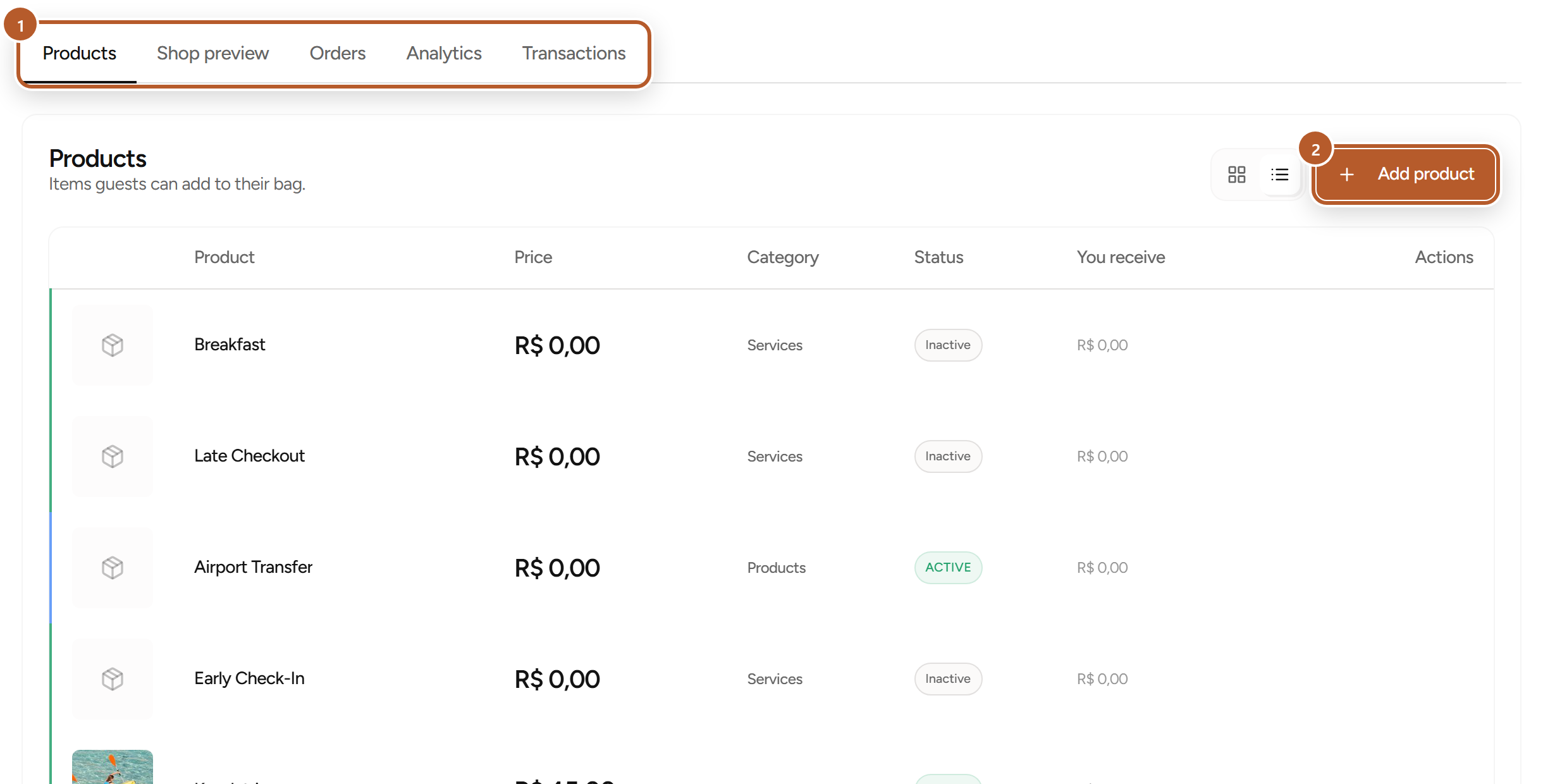
Extras (/shop-manager) is the catalog of products and services your guests can buy, such as a bottle of wine or a tour. Guests buy through the shop with their personal link, through the Guest Hub and in the Extras step of your site’s booking page. The screen has the Products, Shop preview, Orders, Analytics and Transactions tabs.
Before you start
- Trial plans cannot accept shop payments. In that case you see Subscribe to enable Guest Shop checkout, with a View plans button.
- Online shop payments use your connected Stripe account or, for Brazilian accounts, Asaas.
Step by step
- Open Extras in the menu and, on the Products tab, click Add product.
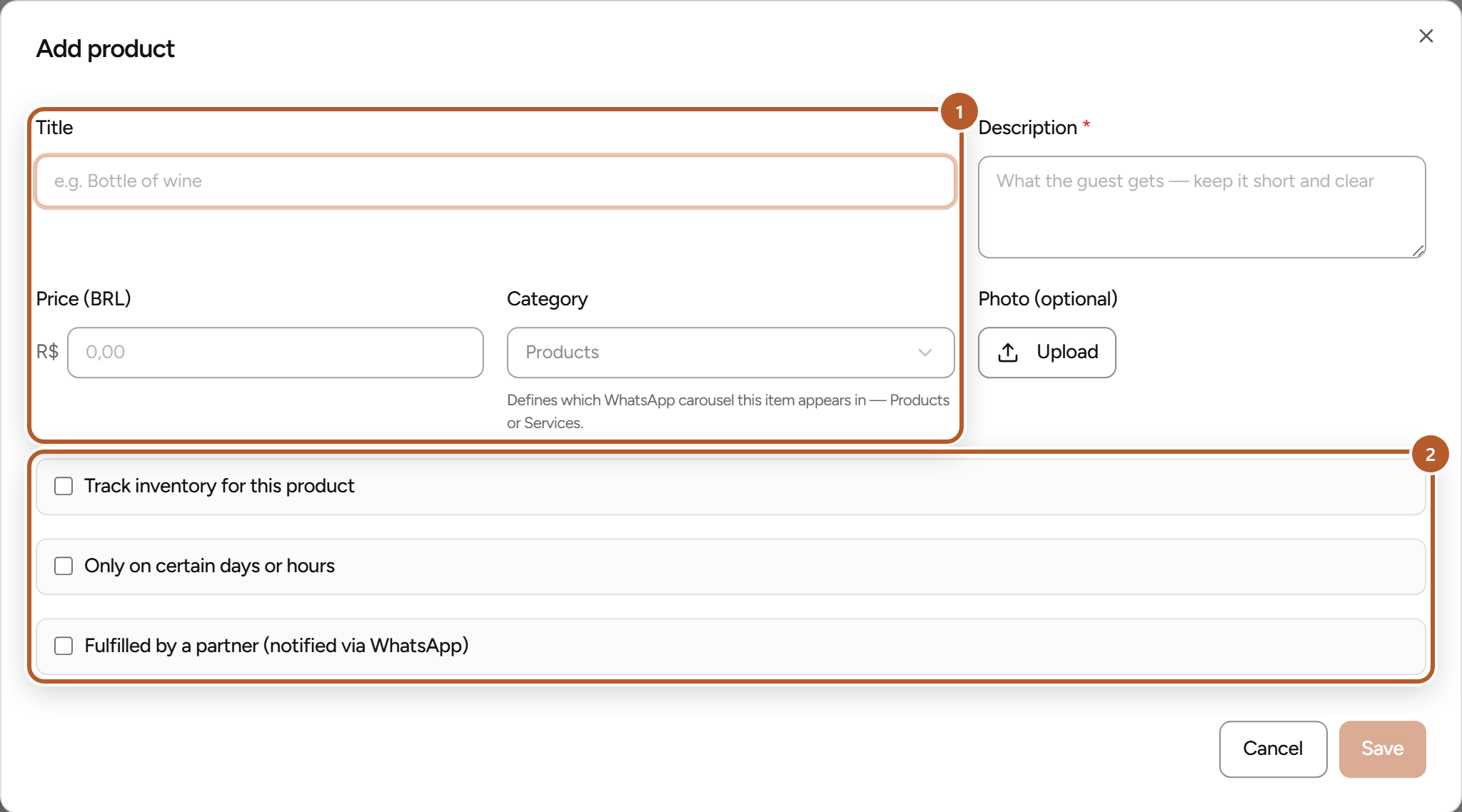
- Fill in Title, Description (required), Price and Category: Products or Services. The category decides which WhatsApp carousel the item appears in.
- Optionally upload a Photo (optional), keep Active (visible to guests) ticked and turn on Track inventory for this product, with the Stock quantity.
- To limit hours, turn on Only on certain days or hours and choose under Guests can buy: Any time, Only while it is available or During these days and hours.
- If a partner delivers the service, tick Fulfilled by a partner (notified via WhatsApp) and enter the Partner name and Partner WhatsApp.
- Save. Before that, the form shows a payout preview: the SparkOS fee, estimated processing and what you receive.
- On the Shop preview tab, walk through the shop as a guest and use Simulate purchase.
What happens next
When a guest pays online, the order moves to Paid. On the Orders tab you change the status (Pending, Paid, Delivered, Cancelled) and export to CSV or PDF. Each guest’s personal shop link reaches them through the {{shop_link}} variable, available in triggered automations.
FAQ
How much does SparkOS charge per sale?
A 1% platform fee, plus the payment processing cost. The preview in the form shows the net amount before you save.
What happens when stock runs out?
With inventory tracking on, guests cannot buy once the quantity reaches 0.
What about outside ordering hours?
The item stays visible in the shop with its hours, but cannot be added to the bag, and flows and the concierge do not offer it.
How does payment work for a partner service?
The partner receives the request on WhatsApp and answers Yes or No with one tap. Payment is arranged directly with the partner.
Updated on 10/2/2026