Instagram: from comment to DM
Answer comments with an automatic private message on a keyword and handle the exceptions in Studio's Comments section.
- Available on Pro
- For Owner and team members with the Marketing & Studio permission (Marketing role)
What it is
A flow with the Instagram comment trigger answers, by private message, anyone who comments a keyword on one of your posts. The Comments section of Studio is the triage: it shows each comment, whether it matched a keyword, whether the reply went out and what can still be recovered. Meta allows exactly one private reply per comment, within 7 days.
Before you start
- Instagram connected through your Meta account under Settings → Connections, on a professional account (“Account must be Professional”).
- The flow builder is part of the Pro plan.
If the triggers dialog shows “Instagram comment automations are switched off for every account right now”, you can build the trigger, but it only fires once SparkOS switches the feature back on.
Step by step
- In the sidebar, under Marketing, click Flows (/marketing/flows), then New flow → WhatsApp flow. The same builder builds Instagram flows: a flow’s channel comes from its trigger.
- Click Triggers → Add trigger and choose Instagram comment. Type the keywords and pick the Matching (Exact word or Fuzzy (typos allowed)). With no keyword, “every comment on the watched posts fires this flow”. Under Posts to watch, select posts or leave it empty for every post. Click Done.
- Add an Instagram reply step with the private message. Links are only allowed on a direct message with an open window; with a link in the private reply, the flow is not saved.
- Name the flow, click Save and then Activate.
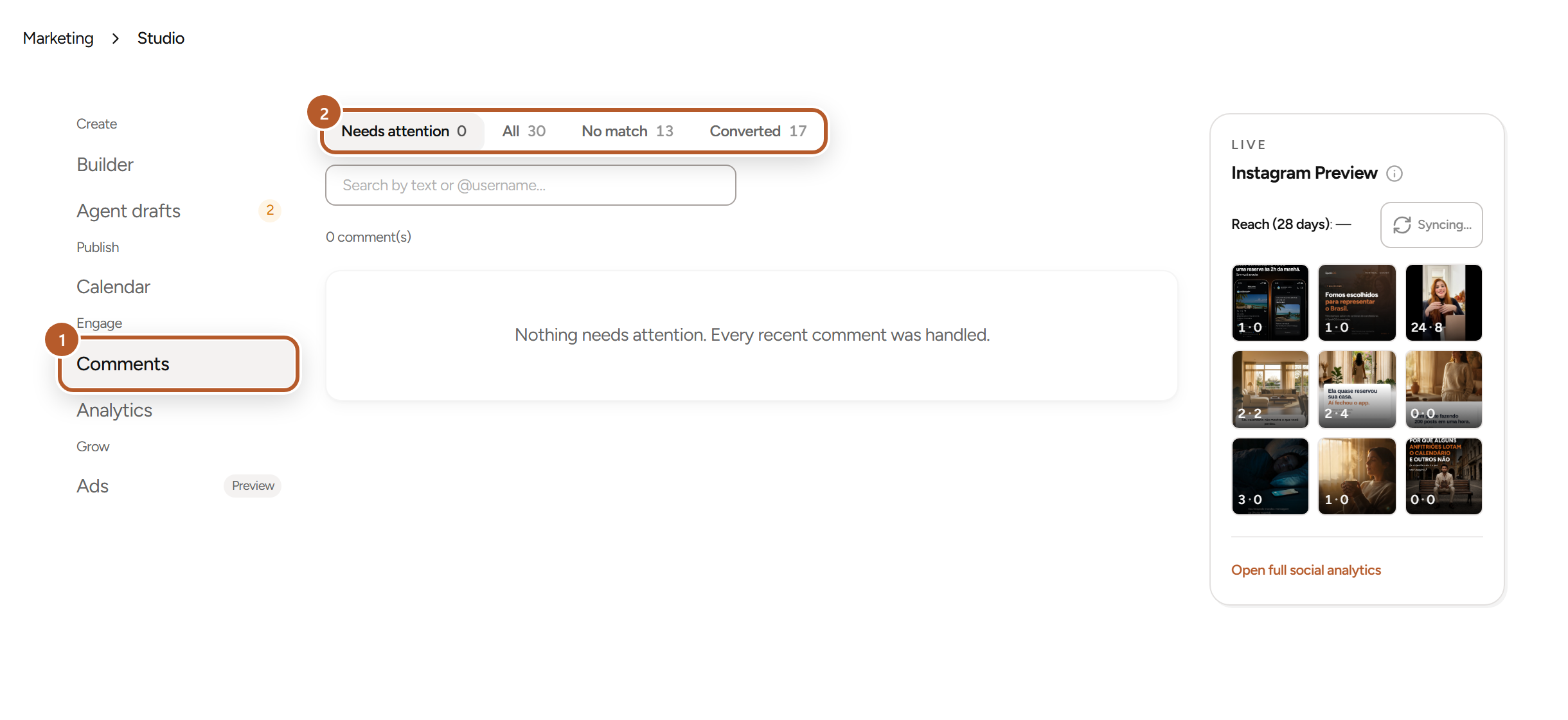
- To follow up, click Studio in the sidebar’s Marketing group and open the Comments section (/marketing/studio?section=comments). The default tab is Needs attention; the others are All, No match and Converted.
- To recover a comment still inside the window, click Reply, write the message and confirm with Spend the one reply and send. The hide/unhide button moderates the comment on the post, even outside the window.
States
| State | Meaning |
|---|---|
| Received | Recorded, not handled yet |
| Matched | A keyword matched |
| Replied / Replied manually | The private reply went out, by the automation or by you |
| No match | No keyword matched |
| Failed | The send errored; the reason shows underneath, such as “Comment is older than 7 days” |
Instagram allows exactly one private reply per comment, ever. Sending now spends that single chance; after that, you can only talk if they reply to you.
What happens next
Comments arrive through a webhook and the table refreshes on its own every 15 seconds. Needs attention gathers the ones that failed or had no match and are still inside the 7-day window, with the hours left; once it passes, the row shows Window closed. On the No match tab, the panel “What your audience is actually typing” lists the most common terms so you can add keywords.
FAQ
Can I put a link in the manual reply?
The screen advises against it: “With no reply from them there is no 24h window, and link-bearing messages from unknown accounts get suppressed.”
Why does the Keyword column show no keyword?
The keyword was not recorded for that run; it does not mean there was no match.
Updated on 10/2/2026