Privacy, consent and data deletion
See which terms you accepted, request a copy of your data or schedule your account for deletion.
- Available on All plans
- For All workspace members
What it is
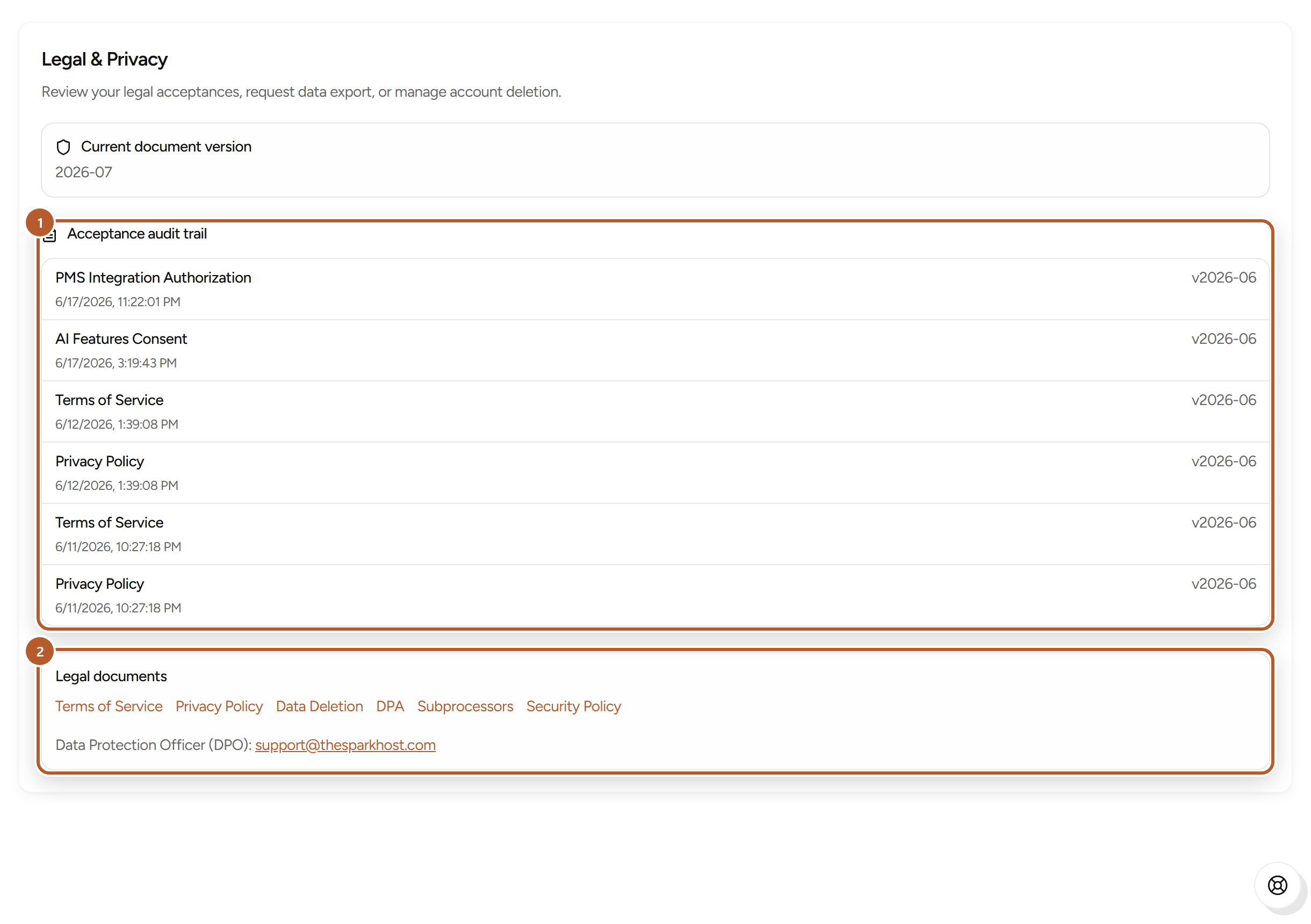
SparkOS records which versions of the Terms of Service and Privacy Policy you accepted, and when. From the Account & data area you can review that history, request a copy of your data or schedule your account for deletion. The legal documents are also public at /legal, with no sign-in needed.
Step by step
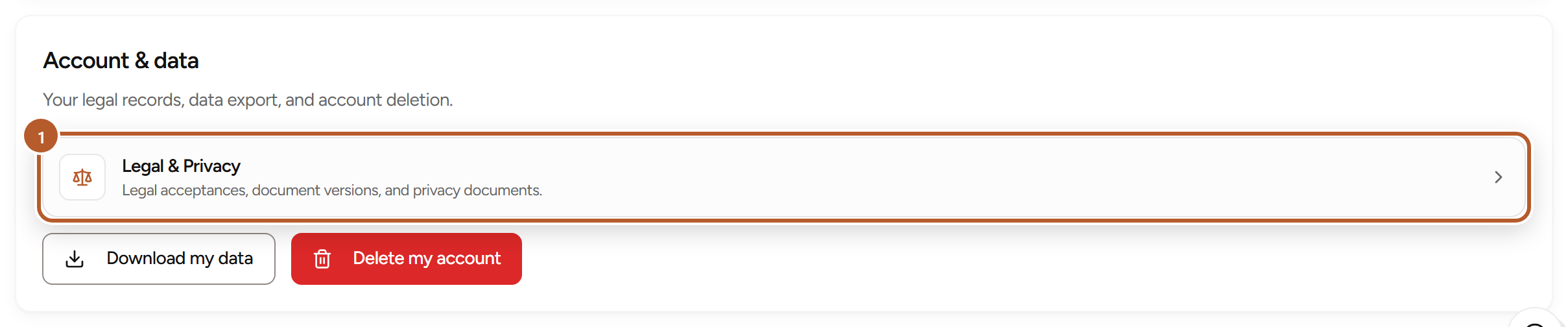
- Open Settings > Account and scroll to Account & data.
- Click Legal & Privacy (/settings/legal). The page shows the Current document version, the Acceptance audit trail with the date of each acceptance, and the Legal documents: Terms of Service, Privacy Policy, Data Deletion, DPA, Subprocessors and Security Policy.
- To get a copy of your data, go back to Account & data and click Download my data.
- To close your account, click Delete my account and confirm with Yes, delete my account.
Delete your account? Your account will be scheduled for deletion after a 30-day grace period. You will receive a confirmation email. Contact support@thesparkhost.com to cancel within the grace period.
What happens next
- Export: your request is recorded and you receive an email within 15 business days.
- Deletion: the account is scheduled for deletion after 30 days. Within that window you can change your mind by writing to support@thesparkhost.com.
- New terms: when the Terms or the Privacy Policy get a new version, SparkOS shows Review and Accept Updated Policies the next time you sign in. You must tick both documents to enable Continue. The marketing communications box is optional.
FAQ
Can I request deletion without signing in?
Yes. The public /data-deletion page explains how to request it by email at support@thesparkhost.com, with your account email, organization name and request details. After verifying your identity, SparkOS deletes or anonymizes the data.
How do I remove SparkOS’s access to Facebook and Instagram?
On Facebook, go to Settings and Privacy > Business Integrations and remove SparkOS. From then on, SparkOS stops receiving new data from that connection.
Is all my data deleted?
Some records may be kept for security, fraud prevention, accounting or legal compliance, including consent audit trails.
Who is the data protection officer?
The Data Protection Officer (DPO) contact is shown on Legal & Privacy: support@thesparkhost.com.
Updated on 10/2/2026